
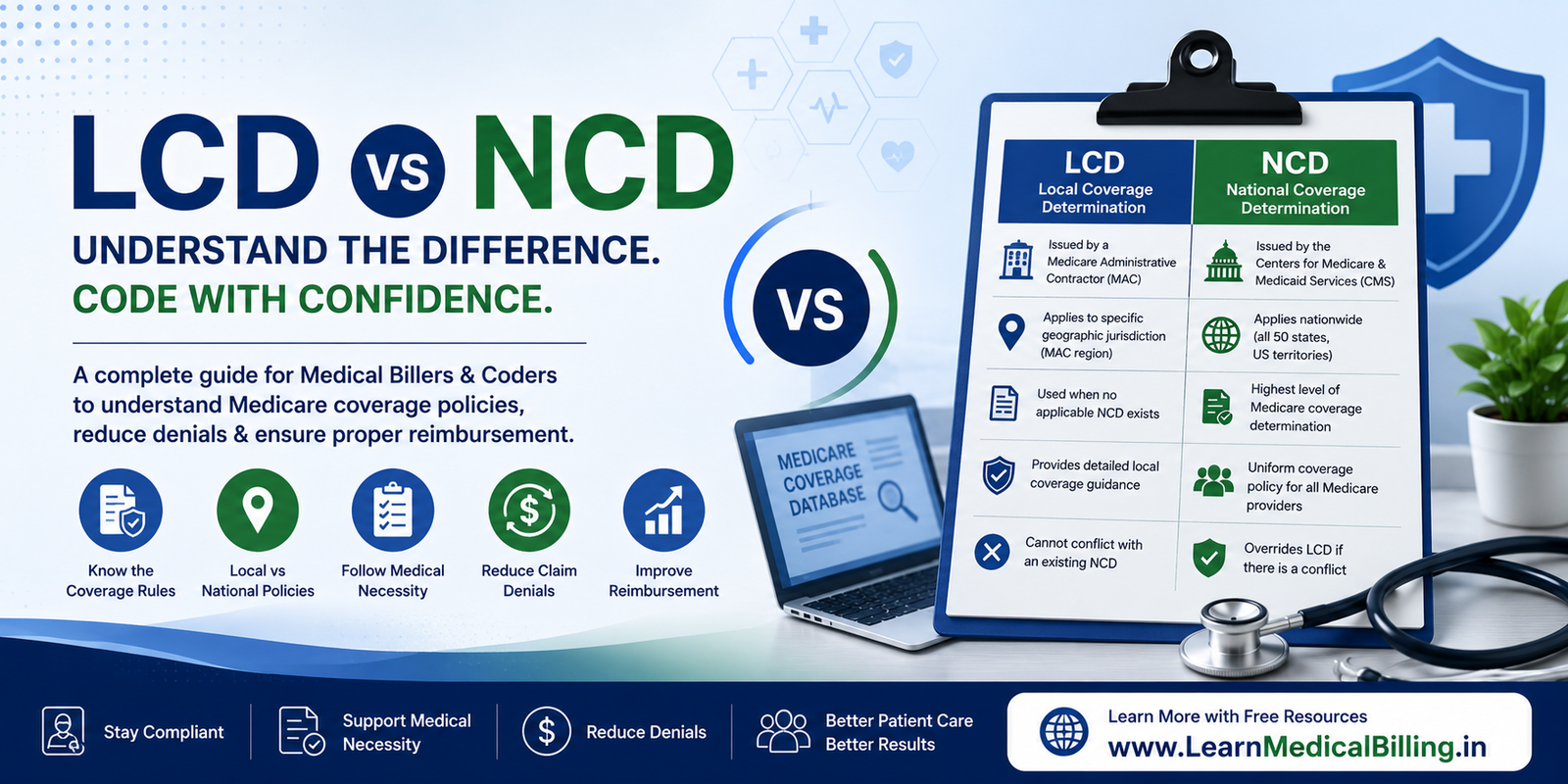
If you work in Medicare billing, medical coding, denial management, AR follow-up, or Revenue Cycle Management (RCM), you will eventually encounter two important terms:
LCD and NCD.
These coverage policies help determine whether Medicare considers a particular item or service covered and medically reasonable and necessary under applicable Medicare rules.
For a medical biller or AR Caller, understanding LCDs and NCDs is especially important when a claim denies for reasons such as:
- Medical necessity
- Diagnosis not supporting the service
- Frequency limitation
- Coverage limitation
- Documentation requirements
- Non-covered indication
- Policy requirements
However, LCDs and NCDs are not interchangeable.
An NCD is national Medicare coverage policy issued by CMS, while an LCD is a local coverage determination developed by a Medicare Administrative Contractor (MAC) for the contractor’s jurisdiction. CMS also explains that an LCD may be developed when there is no NCD or as a supplement to an NCD, as long as it does not conflict with national policy.
This guide explains LCD vs NCD from A to Z, including definitions, differences, hierarchy, Medicare Coverage Database research, Billing & Coding Articles, AR denial workflows, examples, and practical tips for billers and coders.
What Is Medicare Coverage Policy?
Before understanding LCDs and NCDs, it helps to understand what Medicare coverage policy does.
Medicare coverage generally depends on whether an item or service falls within a Medicare benefit category and is considered reasonable and necessary under the applicable Medicare rules.
CMS explains that Medicare coverage is limited to items and services considered reasonable and necessary for the diagnosis or treatment of illness or injury and within the scope of a Medicare benefit category.
Coverage policy can exist at different levels.
A simplified hierarchy is:
Federal Medicare Law & Regulations
             ↓
        CMS National Policy
             ↓
             NCD
             ↓
     MAC Local Coverage
             ↓
             LCD
             ↓
 Billing & Coding Article
             ↓
Claim Processing / Adjudication
This is a simplified educational model. Actual Medicare coverage and claims processing can involve statutes, regulations, manuals, NCDs, LCDs, articles, transmittals, benefit rules, and other instructions.
What Is an NCD?
NCD stands for:
National Coverage Determination
An NCD is a Medicare coverage determination made by CMS regarding whether a particular item or service is covered nationally under Medicare.
CMS states that NCDs are national policies that grant, limit, or exclude Medicare coverage for specific items or services. They apply across the states, and Medicare Administrative Contractors are required to follow them.
Who Issues an NCD?
An NCD is issued by:
Centers for Medicare & Medicaid Services (CMS)
Therefore:
NCD → CMS → National Medicare Policy
Where Does an NCD Apply?
An NCD applies nationally.
That means Medicare Administrative Contractors cannot simply create a local policy that contradicts an applicable national coverage determination.
CMS states that MACs are required to follow NCDs.
What Does an NCD Determine?
An NCD can establish the national Medicare coverage position for a particular item or service.
Depending on the policy, it may address:
- Whether Medicare covers the service
- Covered indications
- Non-covered indications
- Patient eligibility criteria
- Frequency limitations
- Medical necessity requirements
- Other coverage conditions
However, there is an important technical point.
An NCD does not determine the payment amount for the service and does not determine which CPT or HCPCS code should be assigned to a service. CMS explicitly distinguishes coverage determinations from coding and payment determinations.
Simple NCD Example
Imagine CMS establishes a national coverage policy for a particular Medicare service.
The NCD specifies the circumstances under which Medicare covers the service.
A MAC processing a claim under that NCD must follow the national policy.
Therefore:
NCD
↓
National Medicare coverage requirement
↓
MAC claim processing
This provides consistency across Medicare jurisdictions.
What Is an LCD?
LCD stands for:
Local Coverage Determination
CMS defines an LCD as a determination made by a Medicare Administrative Contractor regarding whether a particular item or service is reasonable and necessary and therefore covered within the MAC’s jurisdiction.
Who Issues an LCD?
An LCD is developed by:
Medicare Administrative Contractor (MAC)
Therefore:
LCD → MAC → Local Medicare Coverage Policy
Does an LCD Apply Nationwide?
No.
An LCD generally applies within the jurisdiction of the MAC that developed it.
For example, if a MAC develops an LCD for a particular service, the policy applies according to the jurisdiction and scope specified in that LCD.
This is why two Medicare providers in different jurisdictions may encounter different LCD requirements for a service when no applicable national policy controls the issue.
Can an LCD Exist When an NCD Exists?
Yes.
This is an important correction to many simplified explanations of LCDs.
CMS states that MACs may develop LCDs:
- In the absence of an NCD, or
- As a supplement to an NCD
provided that the LCD does not conflict with national Medicare policy.
Therefore, the relationship is not simply:
No NCD → LCD
It can also be:
NCD → LCD provides additional local coverage guidance
when permitted.
LCD vs NCD: Quick Comparison
| Feature | NCD | LCD |
|---|---|---|
| Full name | National Coverage Determination | Local Coverage Determination |
| Developed by | CMS | Medicare Administrative Contractor |
| Geographic scope | National | MAC jurisdiction |
| Purpose | National Medicare coverage policy | Local Medicare coverage determination |
| Applies nationwide? | Yes | No |
| Can vary by jurisdiction? | No | Yes |
| Can conflict with NCD? | N/A | No |
| May supplement another policy? | National policy | Yes, when permitted |
| Coverage focus | National coverage | Local reasonable-and-necessary coverage |
| Payment rate | No | No |
| Coding assignment | No | No |
CMS specifically notes that neither NCDs nor LCDs are determinations of which code should be assigned to a service or the amount of payment.
The Most Important Difference
If you remember only one thing, remember this:
NCD = National
LCD = Local
An NCD is developed by CMS and applies nationally.
An LCD is developed by a MAC and applies within the MAC’s jurisdiction.
Which One Takes Priority?
When an applicable NCD exists, an LCD cannot contradict it.
CMS explicitly states that LCDs cannot conflict with national policy.
Therefore, an AR Caller should not use an LCD to justify a position that directly conflicts with an applicable NCD.
Simplified Example
Suppose:
NCD: Medicare covers Service X only under specific circumstances.
An LCD cannot simply state:
“Our jurisdiction covers Service X under circumstances that directly contradict the NCD.”
The local policy must remain consistent with national Medicare policy.
Why Are LCDs and NCDs Important for Medical Billers?
Coverage policies can directly affect whether a Medicare claim processes correctly.
They may help the billing team understand:
- Coverage requirements
- Medical necessity
- Covered indications
- Non-covered indications
- Documentation expectations
- Frequency limitations
- Applicable local requirements
- Claim review criteria
This is especially useful when working medical-necessity denials.
Why Are LCDs and NCDs Important for Coders?
Coders need to understand that coding accuracy and coverage are related but not identical.
A service can be correctly coded and still not be payable by Medicare.
For example:
CPT code is correct
Diagnosis code is correct
but:
Medicare coverage criteria are not met
The claim can still deny.
Therefore:
Correct coding ≠ automatic coverage
This is one of the most important concepts in Medicare billing.
LCDs, NCDs, and Medical Necessity
Suppose a provider performs a diagnostic test.
The coder reports:
CPT/HCPCS → Correct
The diagnosis is:
ICD-10-CM → Correct
But Medicare’s applicable coverage policy does not support that diagnosis for the service.
The claim may deny for medical necessity.
The AR Caller should therefore investigate:
What policy applies?
↓
NCD?
↓
LCD?
↓
Billing & Coding Article?
↓
Other Medicare guidance?
↓
Does the documentation support the policy?
Important 2026 Update: Codes Moved Out of LCDs
This is an important point that should be included in a current article.
CMS states that ICD-10-CM, CPT/HCPCS, Bill Type, and Revenue codes were moved from LCDs into Medicare Billing & Coding Articles as part of changes to the LCD process.
CMS says this relocation process began in 2019 and was completed in January 2020.
Therefore, a beginner should not assume:
“I found the LCD, so all applicable CPT and ICD-10 codes must be listed inside the LCD.”
That may not be the case.
Instead, check the associated Billing & Coding Article when one exists.
What Is a Medicare Billing & Coding Article?
A Billing & Coding Article provides coding and billing information associated with a Medicare coverage policy.
CMS’s Medicare Coverage Database includes separate document types for:
- LCDs
- Articles
- NCDs
- National Coverage Analyses
- Other Medicare coverage documents
CMS specifically notes that codes moved out of LCDs and into Billing & Coding Articles.
LCD vs Billing & Coding Article
These are also easy to confuse.
LCD
Focuses on the Medicare contractor’s coverage determination.
Billing & Coding Article
Provides related coding and billing information, including applicable codes and other claim-related information.
Therefore:
LCD → Coverage policy
Article → Coding/billing information associated with the policy
A biller may need to review both.
Example: Researching a Medicare Laboratory Denial
Suppose a laboratory claim denies for:
Medical necessity
The AR Caller finds an LCD related to the laboratory service.
Do not stop there.
Research Workflow
Step 1
Find the LCD.
Step 2
Read the covered indications and limitations.
Step 3
Look for an associated Billing & Coding Article.
Step 4
Review the applicable CPT/HCPCS information.
Step 5
Review the ICD-10-CM information in the article.
Step 6
Compare the claim diagnosis against the policy.
Step 7
Review the medical record.
Step 8
Determine whether the denial is valid.
This is a much stronger workflow than simply searching Google for the CPT code.
What Is the Medicare Coverage Database?
The Medicare Coverage Database (MCD) is CMS’s primary online resource for researching Medicare coverage documents.
It contains Medicare coverage information such as:
- NCDs
- LCDs
- Billing & Coding Articles
- National Coverage Analyses
- Coverage Analysis documents
- Other Medicare coverage-related documents
CMS provides the Medicare Coverage Database for searching and reviewing these policies.
How to Search for an NCD
Suppose you want to research Medicare coverage for a particular service.
Step 1
Open the CMS Medicare Coverage Database.
Step 2
Search using:
- Service name
- Procedure name
- Keyword
- NCD number
- Other available search criteria
Step 3
Filter for:
National Coverage
Step 4
Open the applicable NCD.
Step 5
Review:
- Effective date
- Coverage requirements
- Limitations
- Indications
- Non-covered circumstances
- Related implementation information
CMS’s MCD allows users to search by policy/document ID and billing or procedure code.
How to Search for an LCD
Step 1
Open the CMS Medicare Coverage Database.
Step 2
Search for the service or procedure.
Step 3
Select:
Local Coverage
Step 4
Identify the applicable MAC.
Step 5
Review the LCD.
Step 6
Check whether an associated Billing & Coding Article exists.
Step 7
Review the effective date.
This last step is extremely important.
Why the Effective Date Matters
Medicare coverage policies can have:
- Publication date
- Effective date
- Retirement date
- Revision date
A policy published today may not necessarily apply to an older date of service.
Therefore, when researching a denial, always ask:
“Was this policy effective on the date of service?”
Example
Date of service:
January 10, 2026
New LCD effective:
April 1, 2026
You should not automatically use the April policy to determine whether the January claim was payable.
Always research the policy version applicable to the date of service.
Current vs. Retired Policies
The Medicare Coverage Database contains current and historical information.
CMS’s MCD downloads distinguish current and retired LCD data, and CMS maintains archived versions of coverage documents.
This is especially important for AR work.
A denial may relate to a service from several months or years ago.
The current policy may not be the policy that applied when the service was performed.
How an AR Caller Should Research a Medical Necessity Denial
Suppose a Medicare claim denies:
CO-50 — These are non-covered services because this is not deemed a “medical necessity” by the payer.
Do not immediately appeal.
Follow a structured process.
Step 1: Pull the EOB or ERA
Identify:
- Claim number
- Date of service
- CPT/HCPCS
- ICD-10-CM
- Modifier
- CARC
- RARC
- Denial message
Step 2: Identify the Medicare Contractor
Determine which MAC processed the claim.
Step 3: Search the MCD
Search for:
- CPT/HCPCS
- Service description
- Diagnosis
- Procedure
- Policy keyword
Step 4: Check for an NCD
If an applicable NCD exists, read it first.
Step 5: Check for an LCD
Search the applicable MAC’s local coverage policy.
Step 6: Check the Billing & Coding Article
Look for applicable coding information.
Step 7: Verify Effective Dates
Confirm the policy was effective on the date of service.
Step 8: Compare the Claim
Compare:
Billed CPT/HCPCS
vs.
Policy
and:
Billed ICD-10-CM
vs.
Covered indications
Step 9: Review Documentation
Determine whether the medical record supports the applicable coverage requirements.
Step 10: Decide the Correct Action
Possible outcomes include:
- Valid denial
- Corrected claim
- Medical record submission
- Reconsideration
- Appeal
- Further payer research
AR Caller Example
Scenario
A Medicare claim for a laboratory test denies for medical necessity.
Claim
CPT: Laboratory service
ICD-10-CM: Diagnosis submitted by provider
AR Investigation
You locate the applicable MAC LCD.
The LCD establishes coverage criteria.
You then find an associated Billing & Coding Article containing the applicable coding information.
The submitted diagnosis does not appear among the covered diagnoses for the service.
Conclusion
The claim may have a valid coverage issue.
The AR Caller should not simply change the diagnosis code unless the medical record supports a different reportable diagnosis and the correction is appropriate under coding rules.
This distinction is critical.
Never Change a Diagnosis Just to Make a Claim Pay
This is one of the most important compliance principles for billers.
Suppose an LCD supports:
Diagnosis A
but the provider documented:
Diagnosis B
Do not simply replace Diagnosis B with Diagnosis A because the claim would then pay.
Coding must be based on the provider’s documentation and applicable coding guidelines.
Coverage research helps determine whether the documented service is covered.
It does not authorize unsupported coding.
When Should a Medical Biller Check an NCD?
Check for an applicable NCD when:
- Billing a Medicare service with specific national coverage rules
- Researching a medical-necessity denial
- Reviewing a new procedure or technology
- Checking national Medicare coverage
- Investigating coverage limitations
- Researching frequency requirements
- Reviewing a disputed Medicare payment
When Should a Medical Biller Check an LCD?
Check an LCD when:
- The service is subject to local Medicare coverage policy
- A medical-necessity denial occurs
- No applicable NCD fully addresses the issue
- The MAC has established local coverage requirements
- The claim involves a service commonly subject to local coverage review
CMS notes that most Medicare coverage decisions are made locally by MACs.
Common Services That May Have Local Coverage Policies
Depending on the MAC and current Medicare policy environment, local coverage policies can address areas such as:
- Laboratory testing
- Diagnostic testing
- Imaging
- Cardiology
- Neurology
- Pain management
- Wound care
- Physical therapy
- Sleep-related services
- Other medical services
Do not assume that every service in these categories has an LCD.
Always search the current Medicare Coverage Database.
Common NCD Topics
National coverage determinations can address many Medicare services and technologies.
Examples in the MCD include national policies covering areas such as:
- Screening services
- Certain diagnostic services
- Medical devices
- Surgical procedures
- Therapies
- Preventive services
- Specific technologies
Again, the correct approach is to search the current MCD rather than relying on a memorized list.
LCD/NCD and Medicare Advantage
This topic needs an important qualification.
Original Medicare coverage rules and Medicare Advantage plan rules are not identical in every situation.
If you are working a Medicare Advantage claim, do not automatically assume that an Original Medicare LCD can be applied exactly the same way without checking the applicable Medicare Advantage requirements and plan policy.
For Original Medicare claims processed by MACs, the applicable NCD/LCD framework is particularly important.
For Medicare Advantage, verify the plan’s applicable coverage and utilization requirements.
LCD/NCD and Medicaid
LCDs and NCDs are Medicare coverage policies.
They are not general Medicaid policies.
If you are working a Medicaid claim:
Do not automatically apply a Medicare LCD.
Instead, check:
- State Medicaid policy
- Medicaid fee schedule
- State Medicaid provider manual
- Medicaid MCO policy
- Applicable authorization requirements
This distinction prevents a common research error.
LCD/NCD and Commercial Insurance
Commercial insurance policies are also separate from Medicare LCDs and NCDs.
A commercial payer may have its own:
- Medical policies
- Clinical policies
- Coverage guidelines
- Prior authorization requirements
- Provider contracts
Therefore:
Medicare LCD/NCD ≠ Commercial payer policy
unless the payer specifically incorporates or references the Medicare policy.
Always verify the applicable payer’s requirements.
Common Mistakes Billers Make
Mistake 1: Checking Only the LCD
An LCD may have an associated Billing & Coding Article.
Always check whether one exists.
Mistake 2: Ignoring the NCD
If a national coverage determination applies, the local policy cannot contradict it.
Check national policy first.
Mistake 3: Using the Wrong MAC
A provider’s Medicare contractor matters.
An LCD from another jurisdiction may not apply to the claim.
Mistake 4: Using a Current Policy for an Old Claim
Always verify the effective date.
Mistake 5: Assuming Every Diagnosis Listed in an Article Is Automatically Payable
The claim still needs to satisfy the applicable coverage and documentation requirements.
Mistake 6: Changing Diagnosis Codes to Match the Policy
Never report an unsupported diagnosis simply because it appears in an LCD or Billing & Coding Article.
Mistake 7: Treating an LCD as a Payment Policy
An LCD addresses coverage and reasonable-and-necessary determinations.
It does not establish the Medicare payment amount.
Mistake 8: Assuming LCDs Are Nationwide
They are local to the applicable MAC jurisdiction.
Practical LCD/NCD Research Workflow
Use this workflow when researching a Medicare denial:
Medicare Claim Denial
        ↓
Identify CPT/HCPCS
        ↓
Identify ICD-10-CM
        ↓
Identify MAC
        ↓
Search CMS Medicare Coverage Database
        ↓
Is There an NCD?
     ↙       ↘
   YES        NO
    ↓          ↓
Review NCD   Check LCD
    ↓          ↓
Check LCD if applicable
        ↓
Check Billing & Coding Article
        ↓
Verify Effective Date
        ↓
Compare Claim to Policy
        ↓
Review Documentation
        ↓
Determine Correct Action
AR Call Script for an LCD/NCD Denial
When contacting a Medicare contractor, you can say:
“I’m calling regarding a Medicare claim for date of service [DOS]. The claim denied for medical necessity. I reviewed the claim and the applicable Medicare Coverage Database information. Could you please confirm which coverage policy or article was used to process this claim?”
Then ask:
“Can you provide the applicable LCD or policy/article number?”
Follow with:
“Can you confirm whether that policy was effective for the date of service?”
If the policy appears to support the service:
“Based on the documentation and diagnosis submitted, could you please confirm why the claim did not meet the coverage criteria?”
Then document:
- Representative name or ID
- Call date
- Reference number
- LCD/NCD/article number
- Denial reason
- Effective date
- Payer instructions
- Appeal/reconsideration deadline
Example Payer Call Note
DOS: 08/28/2026
CPT: XXXXX
ICD-10: XXXXX
Denial: CO-50
MAC: Applicable MAC
Policy reviewed: LCD LXXXXX
Article reviewed: AXXXXX
Rep: John / ID XXXXX
Reference #: XXXXX
Outcome: Rep confirmed denial was based on diagnosis not meeting applicable coverage criteria.
Next action: Review documentation/coding and determine whether corrected claim or reconsideration is appropriate.
This type of documentation makes future follow-up much easier.
LCD/NCD Denial: Corrected Claim or Appeal?
The answer depends on the root cause.
Corrected Claim May Be Appropriate
When:
- Incorrect diagnosis was reported
- Incorrect procedure code was reported
- Claim information was entered incorrectly
- A supported correction is required
Appeal or Reconsideration May Be Appropriate
When:
- The claim was coded correctly
- The service meets the coverage requirements
- Documentation supports medical necessity
- The payer applied the policy incorrectly
- The policy was misapplied
Always follow the MAC’s current appeal or reconsideration instructions.
Example: NCD Controls the Claim
Suppose an applicable NCD states that Medicare covers a service only for certain indications.
The provider submits a claim outside those indications.
The MAC must follow the national policy.
An LCD cannot be used to create coverage that directly conflicts with the NCD.
Therefore, an appeal based solely on an inconsistent local policy would generally not solve the problem.
Example: LCD Applies
Suppose there is no applicable NCD governing the exact coverage question.
The MAC has developed an LCD addressing the service.
The provider submits the service within the MAC’s jurisdiction.
The LCD establishes the contractor’s local reasonable-and-necessary coverage requirements.
The AR team should review that LCD and any related Billing & Coding Article.
Example: No NCD and No LCD
What happens if you cannot find either?
Do not automatically conclude:
“Medicare does not cover the service.”
CMS explains that if an item or service is not addressed by an NCD or LCD, other Medicare coverage authorities and requirements may still apply. The absence of an LCD does not by itself mean that a service is automatically covered or automatically non-covered.
This is a critical point for billers.
How to Search the MCD Efficiently
Instead of searching only one phrase, try several approaches.
Search by Procedure
Example:
CPT/HCPCS code
Search by Service Name
Example:
Vitamin D testing
Search by Diagnosis
Example:
osteoporosis
Search by Policy ID
Example:
L12345
Search by Article ID
Example:
A12345
CMS’s MCD provides search tools for policy IDs and billing/procedure codes.
MCD Document IDs
CMS provides different document identifiers.
For example:
LCD → L99999
Article → A99999
NCD → Numeric format such as 99.9.9
CMS’s MCD beneficiary guide explains these document identification formats.
These IDs are useful when documenting AR research.
Why Document the Policy ID?
Suppose you write:
“Checked LCD.”
That is not very useful six months later.
Instead write:
“Reviewed LCD L12345, Article A12345; policy effective 01/01/2026.”
Now another AR Caller can reproduce your research.
This improves:
- AR continuity
- Audit readiness
- Appeal preparation
- Team communication
- Denial root-cause analysis
LCD/NCD Checklist for Billers
Before submitting a Medicare claim for a service with potential coverage restrictions, ask:
Coverage
- Is there an applicable NCD?
- Is there an applicable LCD?
- Is there a Billing & Coding Article?
Jurisdiction
- Which MAC processed the claim?
- Does the LCD apply to that MAC jurisdiction?
Date
- Was the policy effective on the date of service?
- Was an older version applicable?
Coding
- Is the CPT/HCPCS correct?
- Is the ICD-10-CM code supported?
- Did you check the associated article?
Documentation
- Does the medical record support medical necessity?
- Are required elements documented?
Claim
- Correct provider?
- Correct POS?
- Correct modifier?
- Correct units?
- Correct diagnosis linkage?
AR
- Correct denial reason?
- Correct CARC/RARC?
- Correct resolution?
- Correct appeal deadline?
Interview Question: What Is an NCD?
Answer:
An NCD is a National Coverage Determination issued by CMS that establishes Medicare’s national coverage position for a specific item or service. It applies nationally, and MACs are required to follow it.
Interview Question: What Is an LCD?
Answer:
An LCD is a Local Coverage Determination developed by a Medicare Administrative Contractor to determine whether a particular item or service is reasonable and necessary and therefore covered within the MAC’s jurisdiction. An LCD may be developed in the absence of an NCD or as a supplement to an NCD, provided it does not conflict with national policy.
Interview Question: What Is the Difference Between an LCD and an NCD?
Answer:
An NCD is a national Medicare coverage determination issued by CMS, while an LCD is a local Medicare coverage determination developed by a MAC for its jurisdiction.
An NCD applies nationally.
An LCD applies locally and cannot conflict with an applicable national policy.
Interview Question: Can an LCD Override an NCD?
Answer:
No.
An LCD cannot conflict with an applicable NCD. MACs are required to follow NCDs.
Interview Question: Where Can You Find LCDs and NCDs?
Answer:
The primary resource is the CMS Medicare Coverage Database (MCD).
The MCD can be searched for NCDs, LCDs, Billing & Coding Articles, and other Medicare coverage documents.
Frequently Asked Questions
Is an NCD the same as an LCD?
No.
An NCD is a national CMS coverage determination.
An LCD is a local coverage determination developed by a MAC.
Does an LCD apply to every state?
No.
An LCD generally applies within the jurisdiction of the MAC that developed it.
Can an LCD contradict an NCD?
No.
CMS states that LCDs cannot conflict with national policy.
Does every medical service have an LCD?
No.
The existence of an LCD depends on the Medicare coverage issue and MAC policy development.
Does every medical service have an NCD?
No.
CMS develops NCDs for specific Medicare coverage questions and services.
If there is no LCD, is the service automatically covered?
No.
The absence of an LCD does not automatically establish coverage.
Other Medicare coverage rules and authorities may apply.
If there is no NCD, can Medicare cover the service?
Yes, potentially.
CMS explains that in the absence of a national coverage policy, Medicare contractors may make coverage determinations based on applicable local coverage policy and Medicare requirements.
Do LCDs contain CPT and ICD-10 codes?
Historically, coverage documents contained codes, but CMS moved ICD-10-CM, CPT/HCPCS, Bill Type, and Revenue codes from LCDs into Billing & Coding Articles as part of the LCD process changes.
Therefore, check the associated Billing & Coding Article.
Are LCDs payment policies?
No.
LCDs address Medicare coverage and reasonable-and-necessary determinations. They do not determine the payment amount.
Can a commercial insurance company use a Medicare LCD?
It depends on the payer and plan.
Do not automatically apply Medicare coverage policy to commercial claims.
Check the commercial payer’s applicable medical policy and contract.
Can Medicaid use Medicare LCDs?
Do not automatically apply Medicare LCDs to Medicaid claims.
Review the applicable state Medicaid or MCO policy.
Do Medicare Advantage plans use LCDs?
Medicare Advantage coverage and utilization requirements must be evaluated under the applicable Medicare Advantage rules and plan policies. Do not automatically treat every Original Medicare LCD as a standalone Medicare Advantage coverage rule.
Can an LCD change?
Yes.
Medicare coverage documents can be revised, replaced, or retired.
Always verify the version and effective date applicable to the claim.
How often should billers check the MCD?
Whenever coverage research is relevant to a claim, especially for medical-necessity denials, high-risk services, new policies, and services with known coverage limitations.
CMS also provides current downloadable MCD data, with updates published regularly.
LCD vs NCD: Final Cheat Sheet
| Remember | NCD | LCD |
|---|---|---|
| Full form | National Coverage Determination | Local Coverage Determination |
| Issued/developed by | CMS | MAC |
| Scope | National | MAC jurisdiction |
| Purpose | National Medicare coverage | Local Medicare coverage |
| Can vary by MAC? | No | Yes |
| Can conflict with NCD? | N/A | No |
| Coding information | Check related sources/articles | Check related Billing & Coding Article |
| Payment rate | Does not establish payment | Does not establish payment |
| Main research tool | Medicare Coverage Database | Medicare Coverage Database |
| AR use | National coverage research | Local coverage research |
The 10-Second Rule for AR Callers
When you see a Medicare medical-necessity denial, remember:
1. Identify the MAC.
2. Search the MCD.
3. Check for an NCD.
4. Check for an LCD.
5. Check the Billing & Coding Article.
6. Verify the effective date.
7. Compare CPT/HCPCS and ICD-10-CM.
8. Review documentation.
9. Determine whether the denial is valid.
10. Correct, reconsider, or appeal as appropriate.
Final Takeaway
The difference between an LCD and NCD is fundamental for anyone working with Original Medicare claims.
Remember:
NCD = National Coverage Determination = CMS = National
LCD = Local Coverage Determination = MAC = Local
But there is an important 2026-level detail that experienced billers and coders should remember:
An LCD is not limited only to situations where an NCD does not exist. CMS allows an LCD to be developed in the absence of an NCD or as a supplement to an NCD, as long as the LCD does not conflict with national policy.
Also remember:
LCD ≠ Billing & Coding Article.
CMS moved CPT/HCPCS, ICD-10-CM, Bill Type, and Revenue codes out of LCDs and into Billing & Coding Articles. Therefore, when researching a Medicare claim, reviewing the LCD alone may not be enough.
For AR Callers, the practical workflow is:
Claim Denial → MAC → MCD → NCD/LCD → Billing & Coding Article → Effective Date → Documentation → Resolution
For coders, the key lesson is:
Never change a diagnosis simply because a policy lists another diagnosis.
Coding must be supported by the provider’s documentation and applicable coding guidelines.
For billers, the key lesson is:
Never assume that a correctly coded claim is automatically covered.
Coverage, medical necessity, documentation, frequency, and other Medicare requirements still matter.
And for everyone working in Medicare RCM:
Always verify the current CMS Medicare Coverage Database before making a final coverage or denial decision.
CMS Medicare Coverage Database
CMS Medicare Coverage Determination Process
Learn more practical Medicare, medical billing, coding, denial management, AR, and Revenue Cycle Management guides at LearnMedicalBilling.in.
Disclaimer
This article is for educational purposes only and is not legal, medical, coding, or reimbursement advice. Medicare coverage policies can change, and the applicable policy depends on the service, date of service, Medicare program, MAC jurisdiction, and other circumstances. Always verify the current CMS Medicare Coverage Database, applicable NCD, LCD, Billing & Coding Article, Medicare manuals, and MAC guidance before making a billing, coding, or appeal decision.